Software and integration
From first input to final debrief.
Our own software runs the motion, brings in the instructor and puts every flight back on screen.
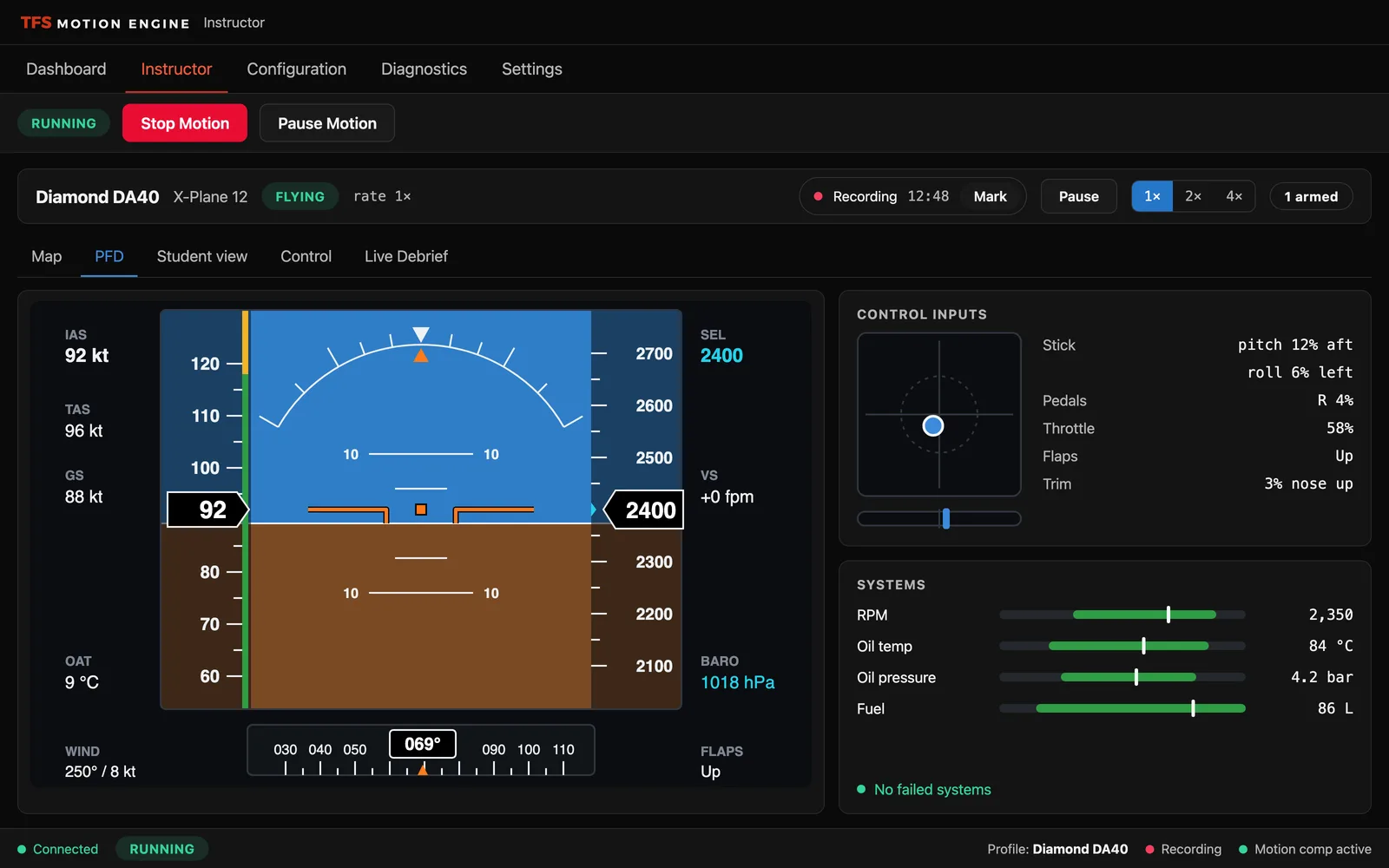
Instructor Station
A proper seat for the instructor.
The instructor follows the flight live and changes it mid-lesson.
- Instruments, map and the pilot's view
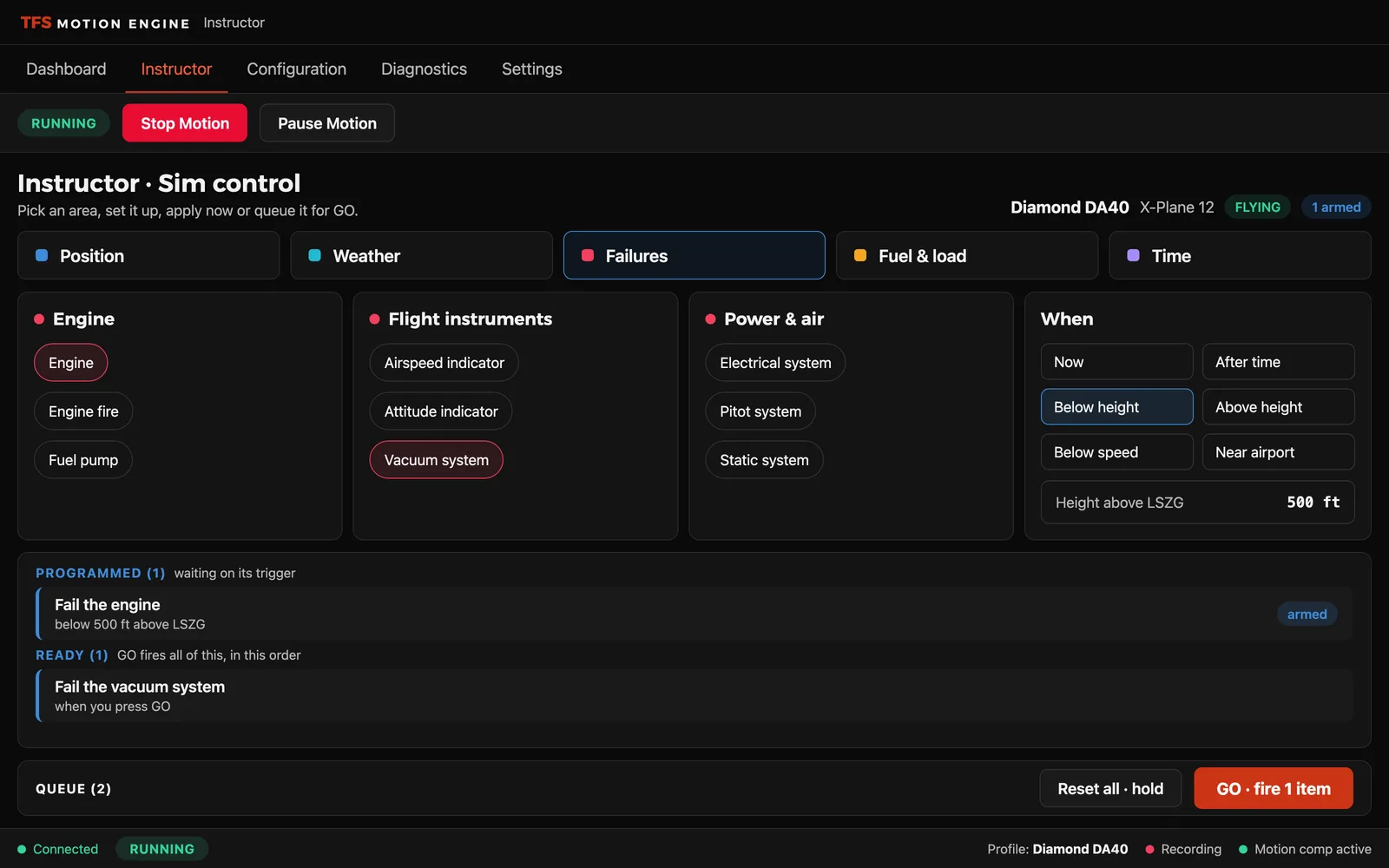
- Failures armed by height, time or speed, fired with GO
- Weather from CAVOK to CAT III
More detail
The Instructor Station runs on a second computer beside the simulator, Windows or Mac. It shows the instruments, a moving map, the stick and pedal positions, the engine readings and the pilot's own view.
A failure fires now, after a time, below or above a height, below a speed or near an airport. Position, weather, fuel and time changes can wait in a queue until the instructor presses GO. Stop Motion is always on screen. Debriefs start from facts, not memory.
Remote Session
The right instructor can be anywhere.
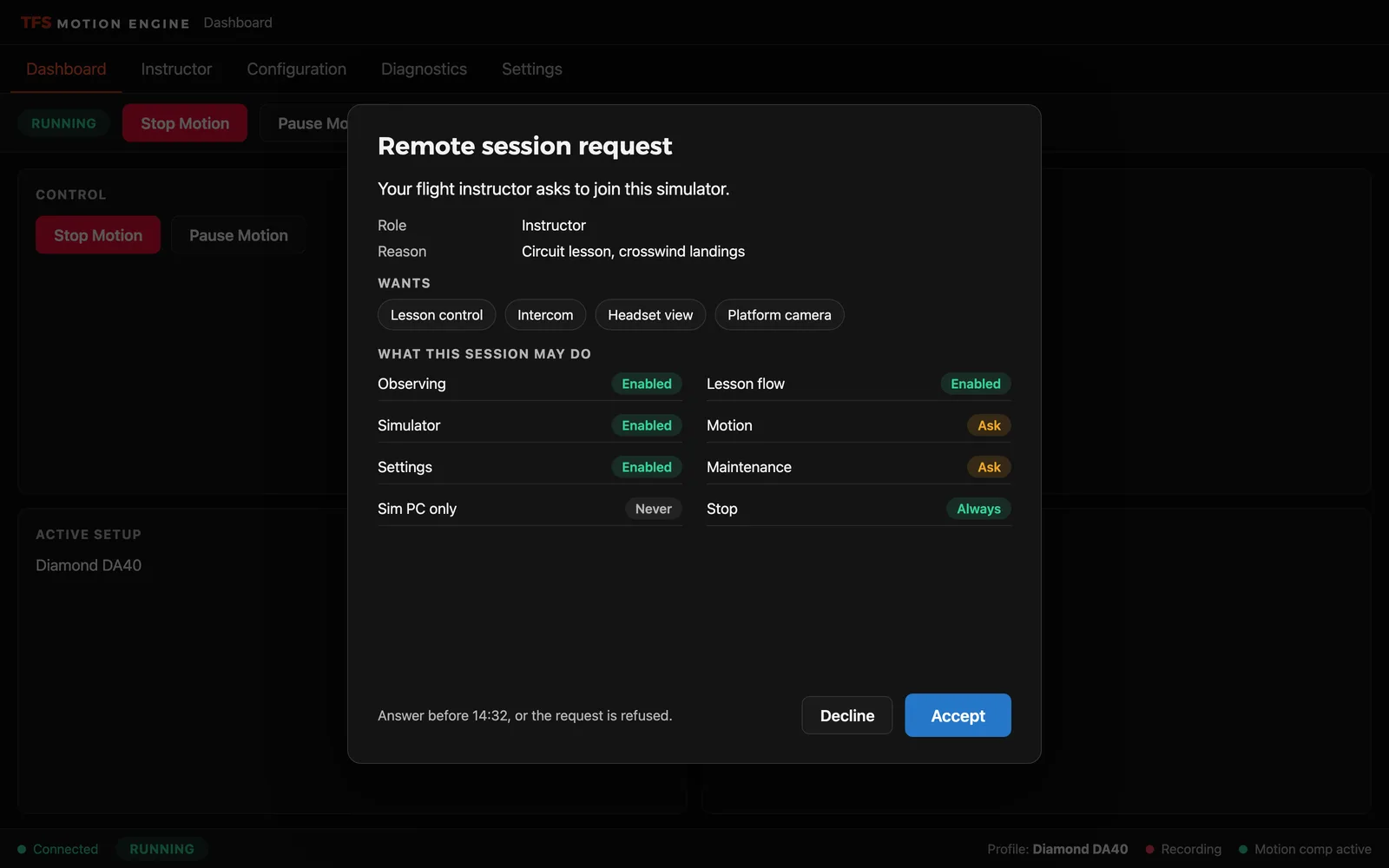
An instructor joins from somewhere else, once the pilot says yes.
- From any browser, with nothing to install
- Nobody joins until the pilot accepts
- Intercom, headset view and lesson control over one link
More detail
The request shows who wants to join, why, and what the session may do. Some rights are on, others ask first, and a request nobody answers is refused.
It is also how our own engineers can help between visits, without the trip.
Debrief Portal
The lesson continues after you climb out.
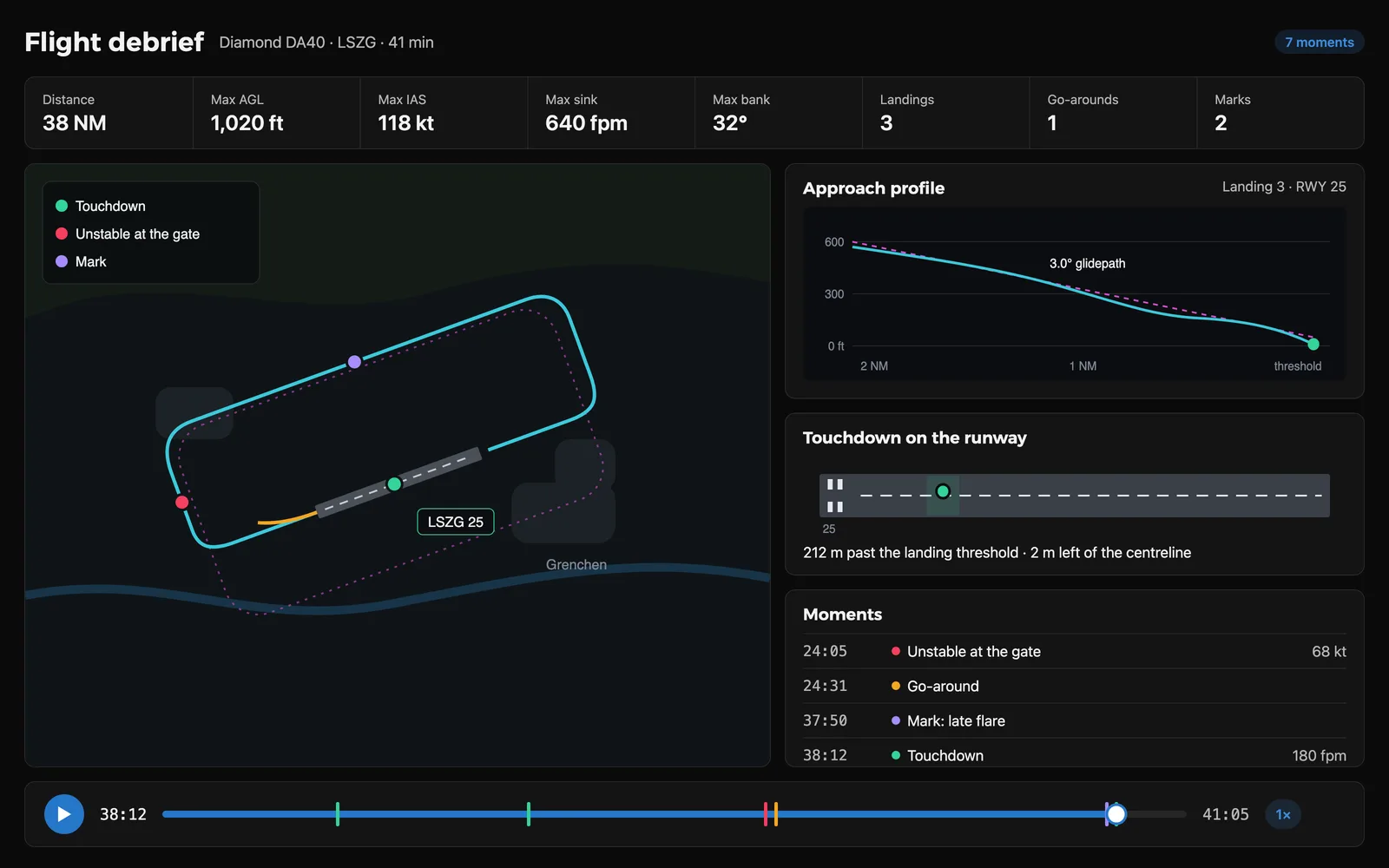
Every flight comes back as one map and one timeline.
- Touchdowns, go-arounds, limits and marks
- The pilot's view, and where they looked
- Compare today's circuit with last month's
More detail
TFS Tower records each flight and the Debrief Portal replays it: every landing and where it touched down, every go-around, every limit and failure, and every mark the instructor set.
A week later, a pilot can review yesterday's circuit against last month's without a technician, a cable or an export folder.
TFS Tower
Every simulator, remembered.
The simulator sends what it flew and how it ran to TFS Tower.
- Flights and their recordings
- Faults and metrics from the platform
- Replayed in the Debrief Portal
More detail
The Motion Engine uploads flights, recordings, faults and metrics to TFS Tower. Nobody has to export or copy anything after a lesson, and the Debrief Portal finds every flight there.
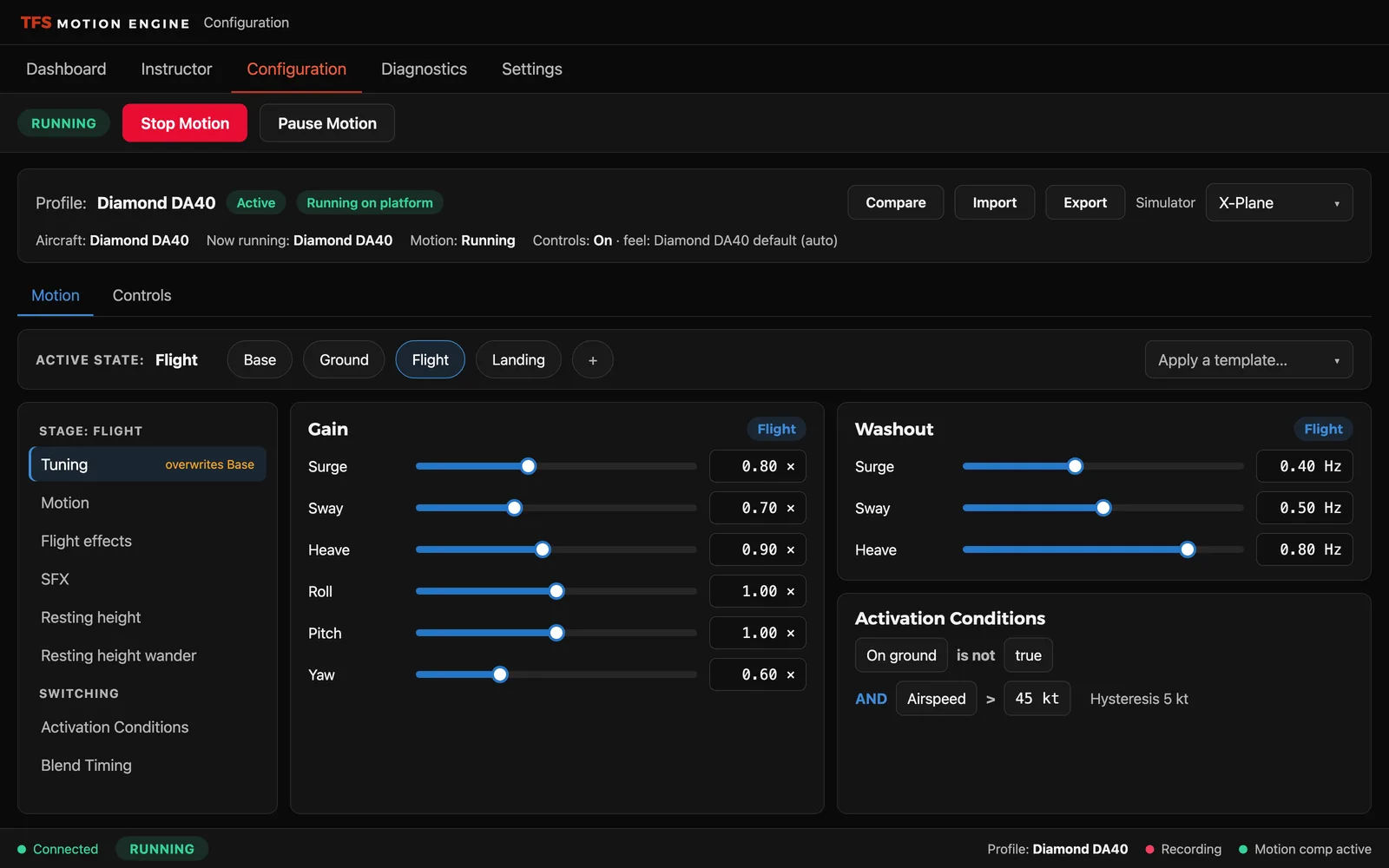
Motion Engine
Software written for this one job.
It turns what the aircraft does into what you feel, tuned for each aircraft.
- Each aircraft calibrated with a pilot who flies it
- Seven safety layers, down to mechanical stops
- X-Plane 12, MSFS 2024, Condor 3
More detail
Every aircraft has its own motion profile, built in stages: a base, then stages such as ground, flight and landing, each switching in when its conditions are met and tuned on its own.
We write the Motion Engine in-house. It drives the six motors over EtherCAT and keeps the platform inside its limits, layer by layer, down to the mechanical stops.
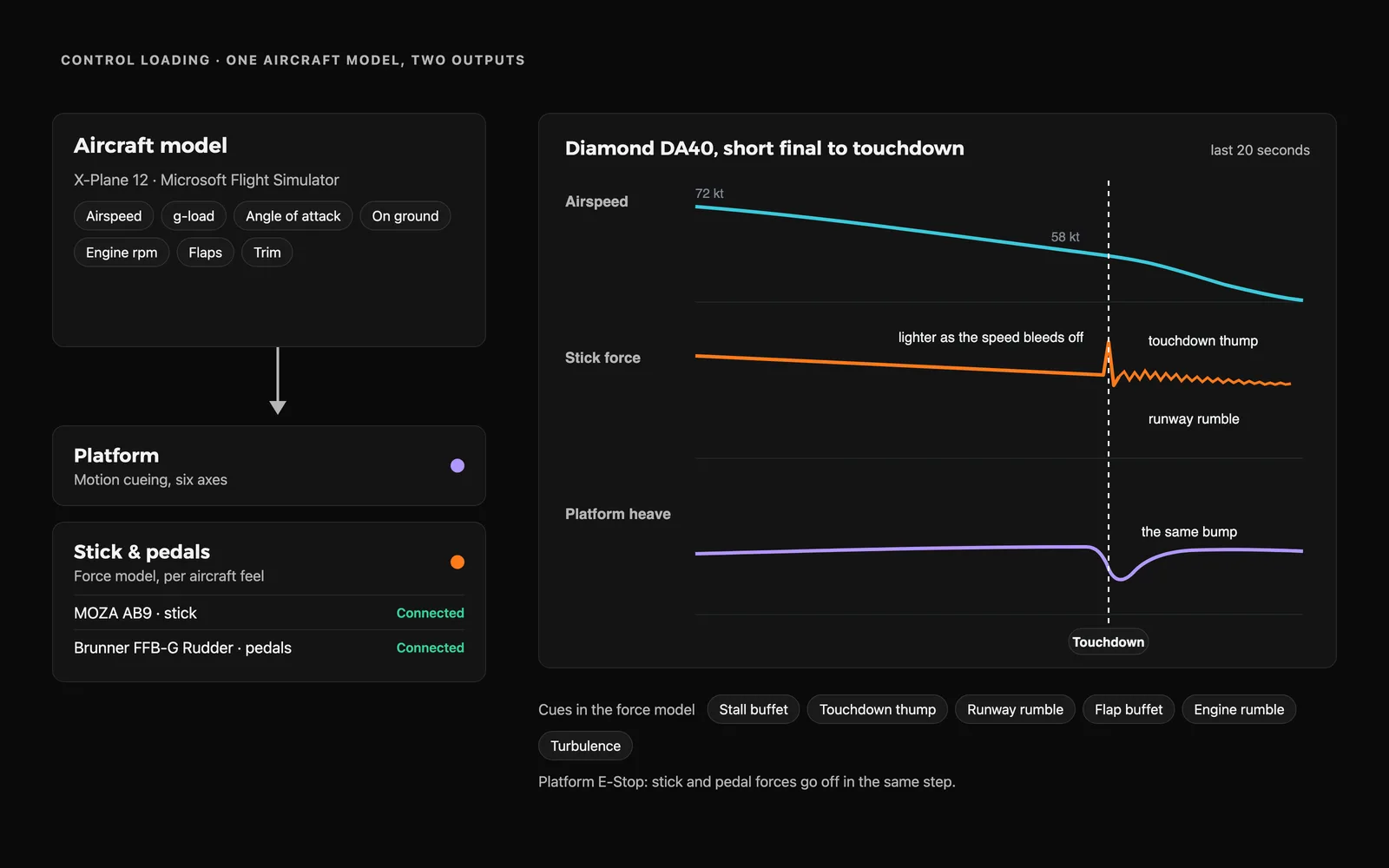
Control loading
The stick and the seat agree.
Stick and pedals are driven by the same aircraft model as the motion, so the two never disagree. The touchdown you feel in the seat also arrives in your hand. Every aircraft has its own feel.
More detail
The forces arm with the platform, and a platform E-Stop removes them in the same step.
Supported hardware: MOZA AB9 stick base, MOZA AY210 yoke base and Brunner FFB-G rudder pedals.
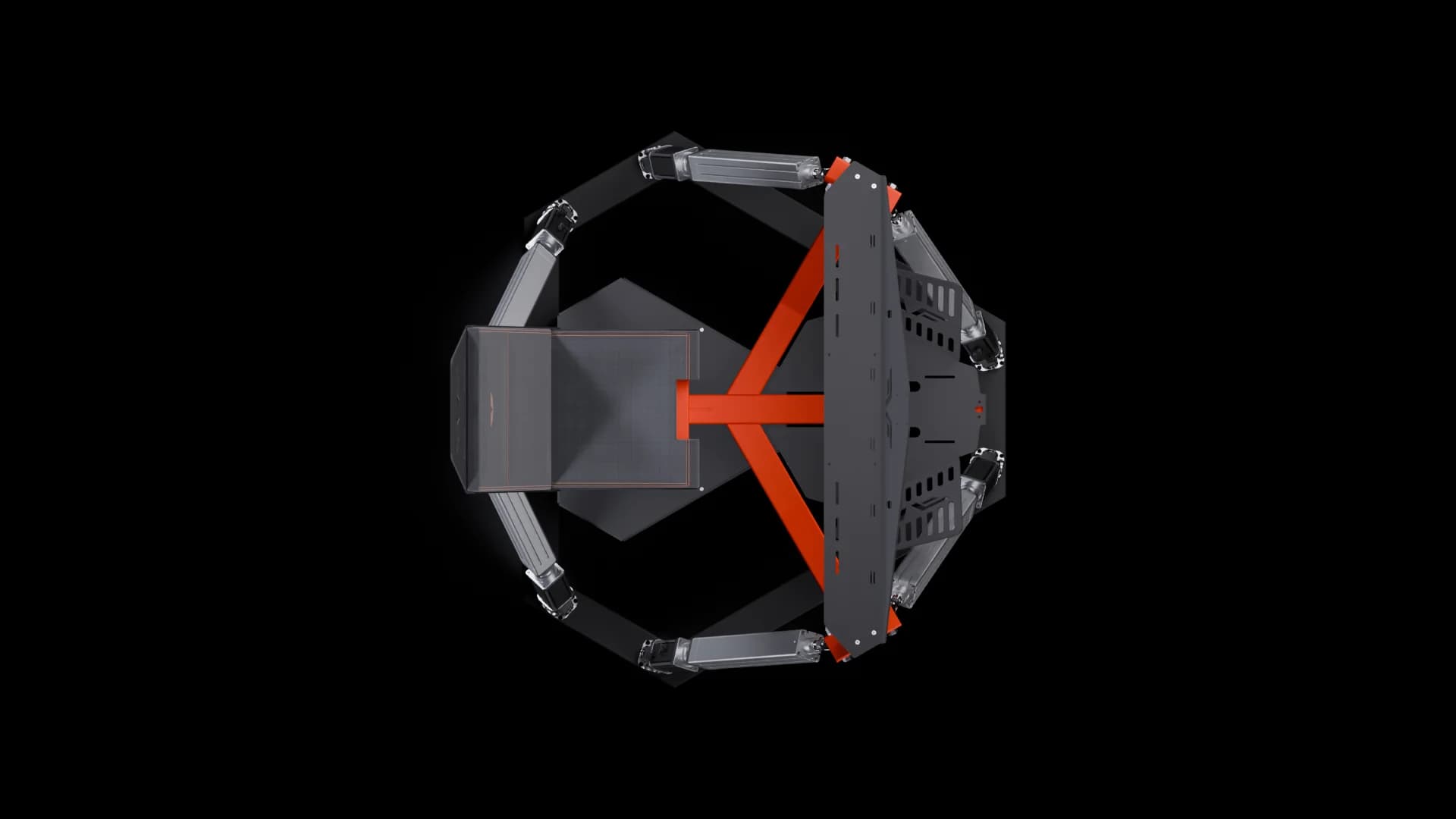
Your VXR-7